How To Setup Freight For Auto Invoice And The Transactions Workbench [ID 1096942.1]
How To Setup Freight For AutoInvoice And The Transactions Workbench
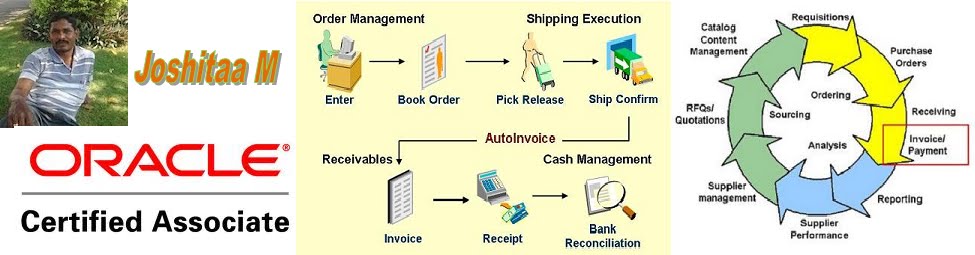
This blog is to gather all Oracle Apps Professionals and their expertise to build a robust knowledge in Oracle Applications. This blog is not only for Oracle experts/professionals but also for beginners and who would like to pursue their career in Oracle Applications. I would like to invite all the Oracle Professionals for this blog to share their Oracle skills. Also, I would like to take this opportunity to wish success in all our endeavors.
Wednesday, April 04, 2012


Oracle Receivables AutoInvoice Setup Setup Test
To execute the test, do the following:
- Start Oracle E-Business Suite
- Connect to responsibility Application Diagnostics
- Select the Diagnose menu option
- Click button Select Application and select Application "Oracle Receivables"
- Scroll down to group "Transactions"
- Select test name "AutoInvoice Setup"
- Input Parameters (* required)
- Responsibility ID
- Operating Unit Id
- Batch Source Id
- Output contains
- Database Information
- Application Information
- Oracle Diagnostics Information
- Product Installation Status and Patchset Level
- Parameters
- System Options
- Batch Source
- Grouping Rule
- Ledger Definition
- Open Calendar Periods Oracle Receivables
- Open Calendar Periods General Ledger
- Accounting Flexfield
- Territory Flexfield
- Line Transaction Flexfield
- Invoice Transaction Flexfield
- Linkto Transaction Flexfield
- Reference Transaction Flexfield
- Profile Options
- Application Setup
- Active Import Batch Sources
- AutoAccounting Setup
- Pro*C File Versions
- AutoInvoice Interface Totals
- Indexes on RA_CUSTOMER_TRX_ALL
- Indexes on RA_CUSTOMER_TRX_LINES_ALL
- Indexes on RA_INTERFACE_LINES_ALL
- Indexes on RA_INTERFACE_DISTRIBUTIONS_ALL
- Indexes on RA_INTERFACE_SALESCREDITS_ALL
- Indexes on GL_CODE_COMBINATIONS
- Indexes on MTL_SYSTEM_ITEMS_B
- Indexes on RA_TERRITORIES
- Interface Database Triggers
- Invalid Objects
- Disabled Triggers
- References
List of RF Scanners Compatible with MSCA and WMS
The list below shows the devices that have been tested and accepted for use with Oracle Mobile Supply Chain and Oracle Warehouse Management by Oracle
Accepted Devices
=============
The following devices have been tested and accepted for use with Oracle Mobile Supply Chain and Oracle Warehouse Management by Oracle:
Intermec 2415
Intermec 2425
Intermec 2435
Intermec 2455
Iec 2486
Intermec 5055
Intermec 6400
Intermec 1552
Intermec 700
LX0
LXE 2280
LXE MX1
LXE MX2
LXE MX3
LXE VX1
Symbol WSS-1040
WSS-1060
Symbol SPT-1700
Symbol SPT-1800
Symbol PPT-2700
Symbol PPT-
Symbol PDT-6100
Symbol PDT-6800
Symbol PDT-8000
Symbol PDT-8100
l VRC-6900
Symbol VRC-7900
Telxon PTC-960SL
Teklogix 7030
Teklogix 7/ Teklogix 8255
Teklogix 8260
Currently, Oracle is no longer certifying devices. There are many devices that have been self-certified by the vendor that are not on this list provided above
In the early days of WMS & MSCA, Oracle certified several devices but as it became clear that any device which supported standard Telnet RFC's would work with our solution. So Oracle switched to a vendor self-certification mode. If a device is not lised here - Please talk to the Device vendor .
Accepted Devices
=============
The following devices have been tested and accepted for use with Oracle Mobile Supply Chain and Oracle Warehouse Management by Oracle:
Intermec 2415
Intermec 2425
Intermec 2435
Intermec 2455
Iec 2486
Intermec 5055
Intermec 6400
Intermec 1552
Intermec 700
LX0
LXE 2280
LXE MX1
LXE MX2
LXE MX3
LXE VX1
Symbol WSS-1040
WSS-1060
Symbol SPT-1700
Symbol SPT-1800
Symbol PPT-2700
Symbol PPT-
Symbol PDT-6100
Symbol PDT-6800
Symbol PDT-8000
Symbol PDT-8100
l VRC-6900
Symbol VRC-7900
Telxon PTC-960SL
Teklogix 7030
Teklogix 7/ Teklogix 8255
Teklogix 8260
Currently, Oracle is no longer certifying devices. There are many devices that have been self-certified by the vendor that are not on this list provided above
In the early days of WMS & MSCA, Oracle certified several devices but as it became clear that any device which supported standard Telnet RFC's would work with our solution. So Oracle switched to a vendor self-certification mode. If a device is not lised here - Please talk to the Device vendor .
Subscribe to:
Comments (Atom)